Notes from Uxcel course
What is a customer journey map
A customer journey map (user journey map) shows how someone interacts with your product over time. It reveals friction points that cause abandonment and prevent conversion, unmet needs, and missed opportunities to bring value.
Create journey maps when launching new products, transformation & redesign phases, entering new markets.
Effective journey maps show relationships between different channels, digital & physical. They affect each other rather than working in isolation.
Different approaches can be combined:
- Research-based: customer interviews, observations, and data analysis. Use when accuracy > speed, for high-stakes redesigns.
- Assumption-based
- Workshop-based: stakeholders collaborate to build maps
Types of journey map
-
Customer journey maps document user experiences through sequential stages: user actions, thoughts, emotions, touchpoints at each phase. Focus on one persona going through one specific scenario.
-
User flows include all possible paths, decisions, and error states for a task. Task flows show the ideal path to complete one task.
-
Experience maps show how different personas move through a larger experience that may span multiple scenarios.
-
Service blueprints show the layers beneath the customer experience — how it’s delivered. They map the frontstage (what customers see) and backstage (internal processes, systems, and people that enable the experience). This includes employee actions, support systems, and technical and data infrastructure.
-
Current-state maps document how users actually use your product today, including friction points and workarounds. Key elements include actual paths, pain points, error states, drop-off points, unplanned interactions.
-
Future state maps show how user interactions should work after improvements. They include new features, removed pain points, streamlined flows, and added touchpoints.
Each stage of product development requires different mapping approaches:
- Discovery: current-state map, customer journey map
- Planning & strategy: customer experience map, future-state map
- Implementation & operations: service blueprint
Each business goal requires different mapping:
- Customer-centric: customer journey map
- Operational & efficiency: service blueprint
- Transformation: current-state map, experience map, future-state map
The peak-end rule, a psychological principle discovered by Nobel laureate Daniel Kahneman, explains why customers might forgive a difficult process if it ends well, or remember a smooth experience negatively due to a frustrating conclusion.
Design experiences that create positive peaks and ensure strong endings. Add surprise upgrades, personalized thank-you messages, or the checkout process ends with clear confirmation and next steps. If a customer leaves for a competitor, make their last impression with your product linger with a smooth, respectful exit, like an easy cancellation process or a thoughtful goodbye message.
OLIVER framework for building journey maps
Objective - Layers - Inputs - Visualize - Extract - Revamp
Objective
Focus on scenarios that represent critical moments rather than documenting every possible path. E.g. a first-time user onboarding journey.
- High-impact journeys affecting revenue or retention
- Problematic journeys bringing complaints or support tickets
- Transformational journeys where small improvements yield big results
Layers
Actions - Emotions - Touchpoints - Thoughts - Backend processes - Business metrics - Compliance requirements - Competitive comparisons
Actions:
- Macro maps might show broad actions like “researches solutions”.
- Micromaps might show “reads reviews”, “download guides”, or “watches demo video”.
Emotions:
- Use emotion wheels or scales, and clear indicators
| Awareness | Research | Evaluation | Purchase | Onboarding | |
|---|---|---|---|---|---|
| Actions | Discover a problem | Read reviews | Request a demo | Select a plan | Create account |
| Emotions | Excited | Anxious | Relief | ||
| Touchpoints | Social media | Website | Sales chat | Payment portal | Welcome email |
| Thoughts | Is this the right solution? | How does this compare to option B? | Can I trust these reviews? | ||
| Pain points | The comparison table is missing key features | Demo form times out after 15 mins | |||
| Opportunities | Add guest checkout |
Backend processes shape experience through speed, reliability, and accuracy. E.g for Purchase step, the backend processes include Validate inventory → Authorize payment → Update database → Trigger fulfillment → Send confirmation email.
Tools for customer journey mapping: Smaply, UXPressia
Prioritize & planning improvements
The Kano model classifies customer needs into 5 categories:
- Basic needs: Must-have features that customers expect. Fix these first.
- Performance needs: Features where more is better (e.g., faster page load times)
- Excitement needs: Unexpected features that delight customers and create competitive advantage (e.g., AI-powered size recommendations in a shopping app)
- Indifferent needs: Features customers don’t care about either way (e.g., animated page transitions)
- Reverse needs: Features that some customers prefer absent (e.g., auto-playing videos)
The Impact/Effort matrix:
- Quick wins (high impact, low effort): Implement these immediately
- Major projects (high impact, high effort): Plan carefully and allocate sufficient resources
- Fill-ins (low impact, low effort): Consider for spare capacity
- Thankless tasks (low impact, high effort): Generally avoid these
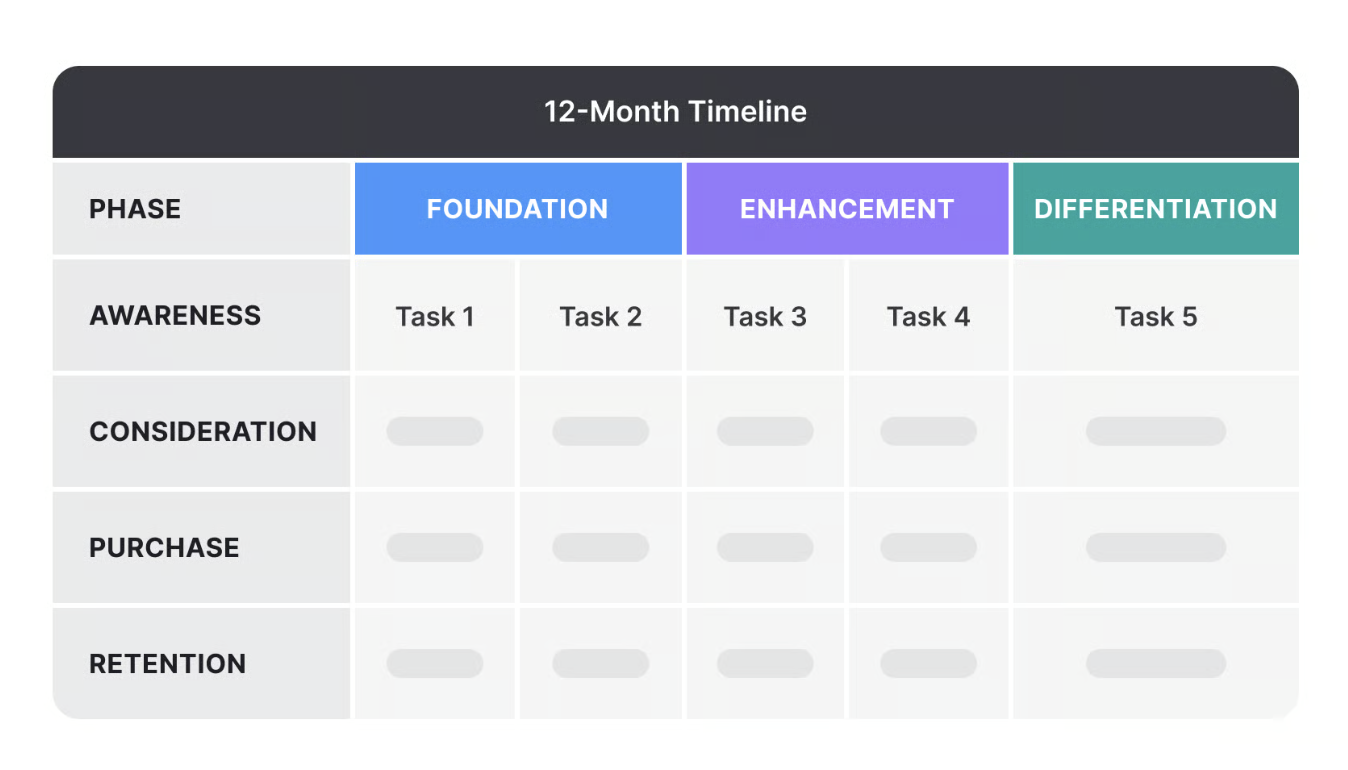
Improvement roadmap:
Document edge cases: system errors, accesibility needs, regulatory exceptions, unusual behaviors.